A Patient Experience Within the Wider IVF Platform
The IVF Patient App was designed as the patient-facing part of the same platform used by clinic teams. Rather than creating a separate experience, the app gives patients access to the relevant parts of their treatment journey while remaining connected to the clinic portal and its underlying workflows.
Two Experiences Built Around the Same Treatment Journey
The clinic portal and patient app serve different users, but they depend on the same treatment context. The design needed to keep both experiences aligned while showing each audience only what was relevant to them.
Patient App
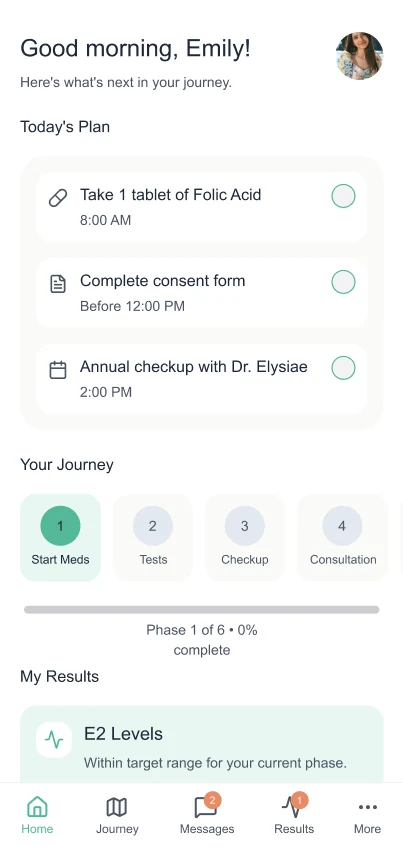
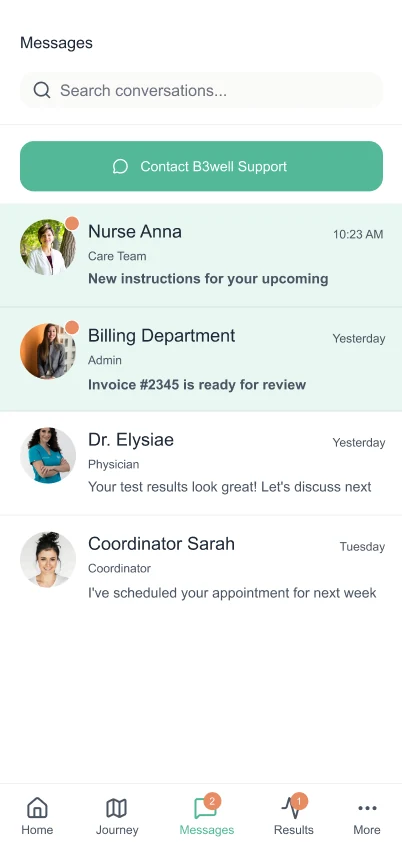
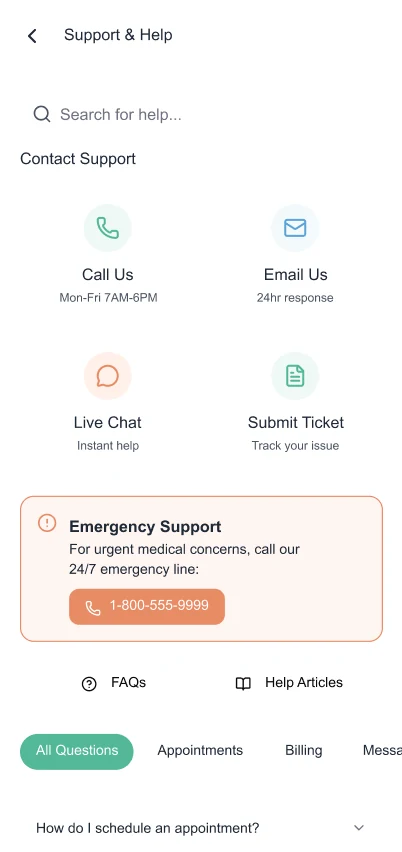
Patients see appointments, treatment progress, results, messages, and support in a form designed for clarity and reassurance.
Clinic Portal
Clinical teams manage procedures, patient records, consent, communication, and care delivery through the operational interface.
Shared Platform
Relevant updates move between both experiences so patient information remains consistent with the work completed by the clinic.
Patients Needed One Reliable View of What Happened Next
IVF treatment involves appointments, medication, test results, consent, and frequent communication. When those updates are spread across calls, emails, documents, and disconnected portals, patients are left to reconstruct what is happening and what they need to do next.
The patient experience needed to simplify clinical information, reflect updates from the clinic platform, and make the next step clear without exposing the full complexity of the internal clinical workflow.
Key pain points identified
- Confusing navigation and medical terminology
- Missed medication and appointment notifications
- Lack of visibility into treatment progress
- Fragmented communication with clinical teams
Patient Journey

Balancing Patient Needs, Clinic Workflows and Shared Data
The experience had to work across three connected layers: what patients needed to understand, what clinic teams needed to manage, and what the shared platform needed to synchronise between them.
Patient Needs
Clear treatment stages, reminders, appointments, results, and direct access to the care team.
Clinic Needs
Accurate patient communication that reflects the clinic’s operational workflow without adding duplicate administration.
Shared Platform Requirements
Secure synchronisation, controlled information sharing, and consistent status updates across both interfaces.
Product Goals
Create Trust
Use visual consistency and plain-language communication.
Improve Adherence
Use reminders and progress visualisation to make next actions clear.
Design Inclusively
Meet WCAG 2.2 AA requirements and support emotional sensitivity.
Information Architecture

Designing for Clarity, Confidence and Compassion
The design approach used three principles to translate a complex clinical journey into a calmer patient experience.
Clarity
Plain language, visible next actions, and simplified treatment stages help patients understand what is happening without interpreting clinical systems.
Confidence
Clinic-synchronised updates, predictable navigation, and clear status information help patients trust that the app reflects their current treatment journey.
Compassion
Restrained motion, careful tone, and emotionally neutral feedback avoid adding unnecessary pressure during a sensitive process.
Key Product Decisions
Make Today’s Next Action Obvious
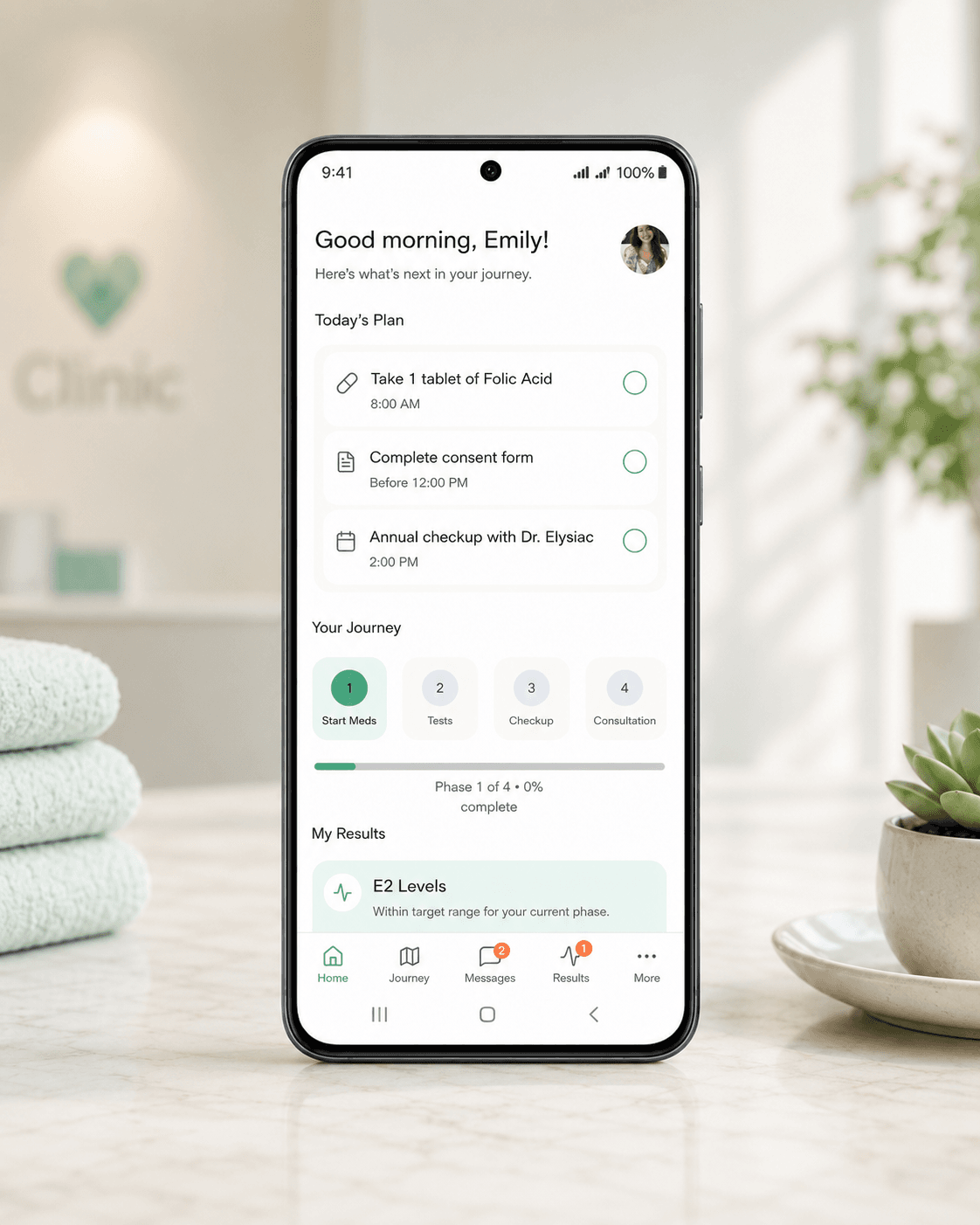
The home experience prioritises the immediate appointment, medication, or task instead of asking patients to interpret the entire treatment plan.
Turn Treatment Into Understandable Stages
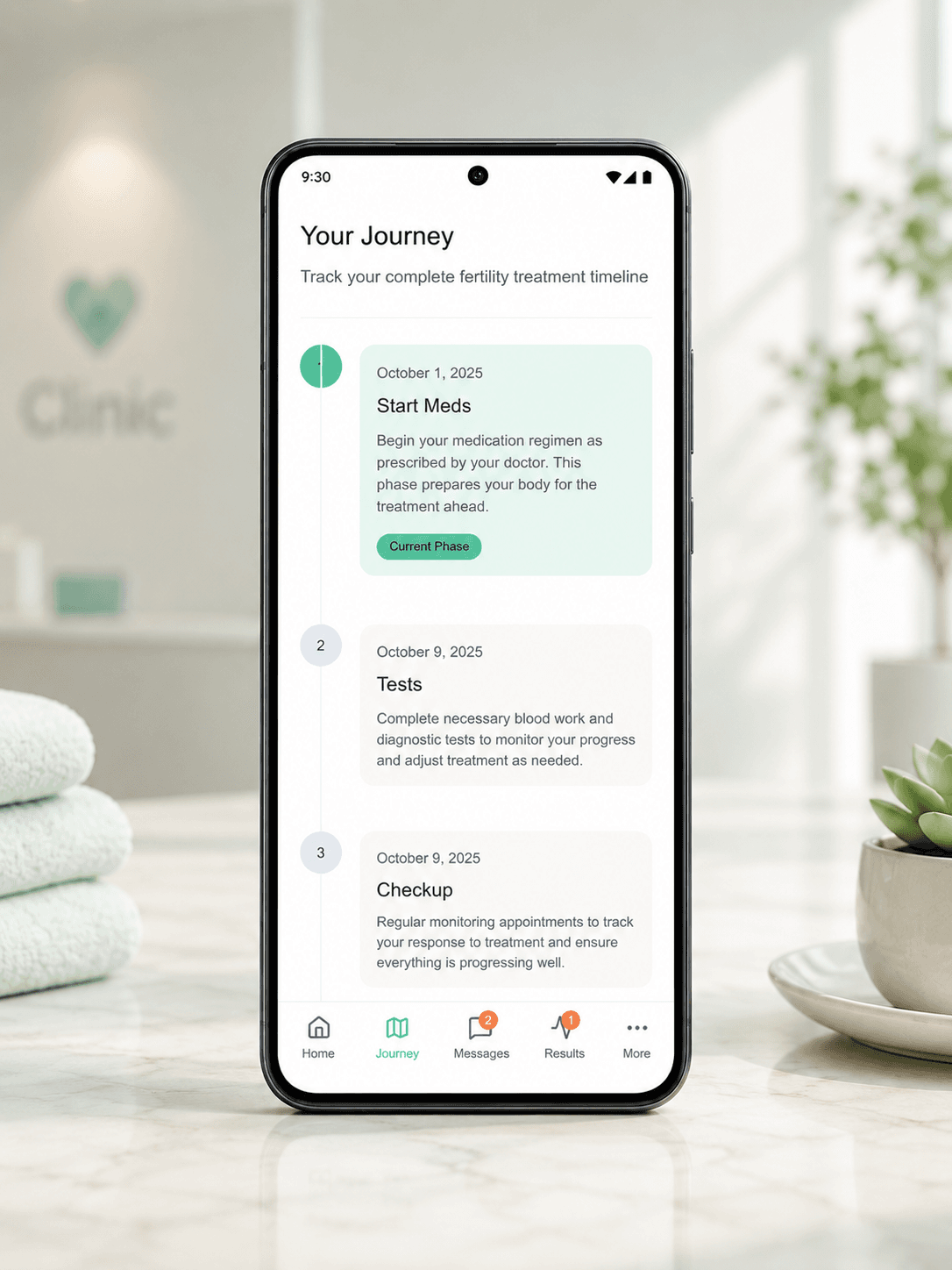
The journey view breaks a medically complex process into visible milestones while keeping important clinical information available.
Keep Communication Inside the Journey
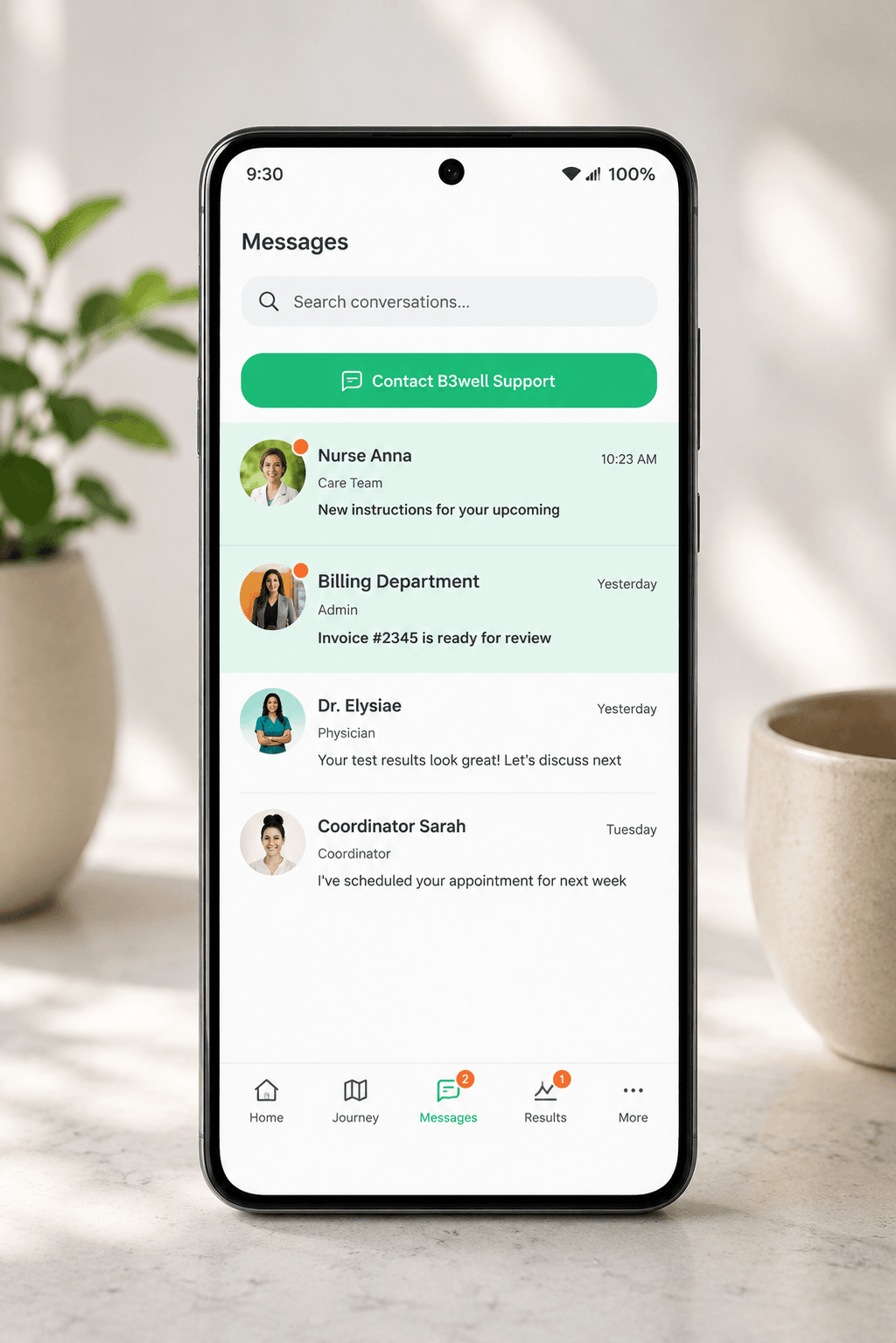
Secure messages remain connected to the clinic and treatment context, reducing reliance on separate calls and email threads.
Support Change Without Losing Context
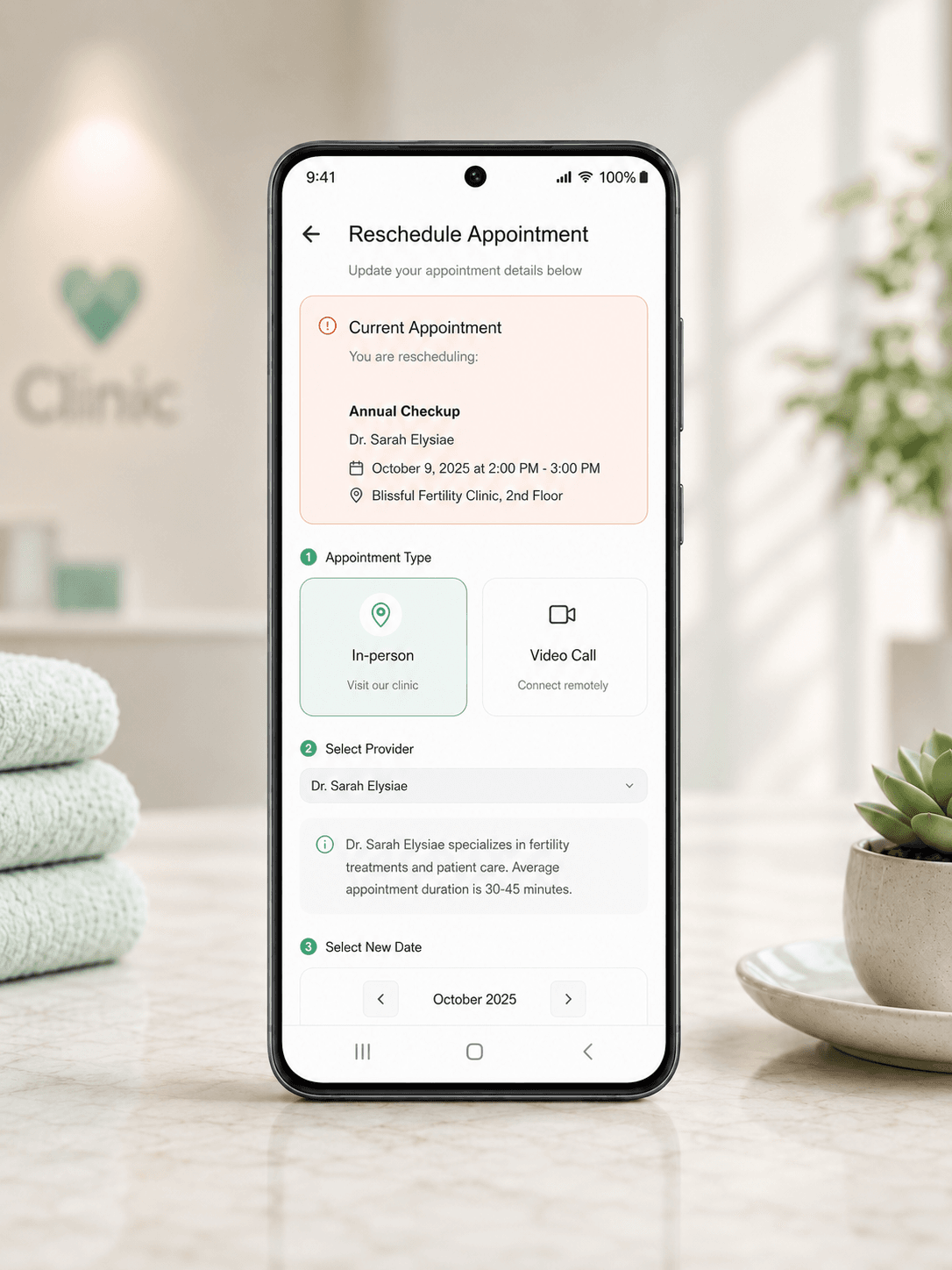
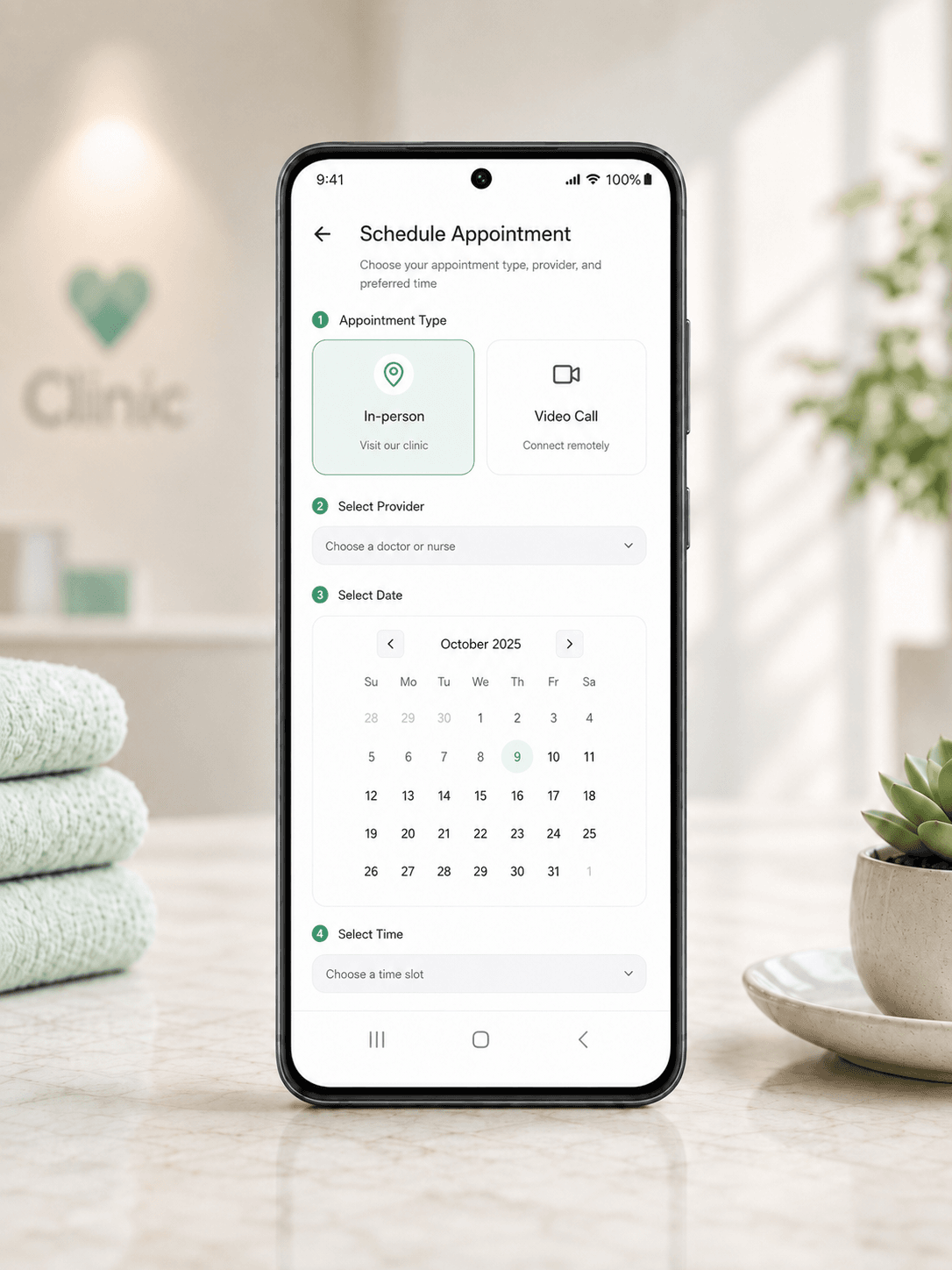
Appointment scheduling and rescheduling allow patients to manage common changes without disconnecting the action from their wider treatment journey.
Mobile Experience
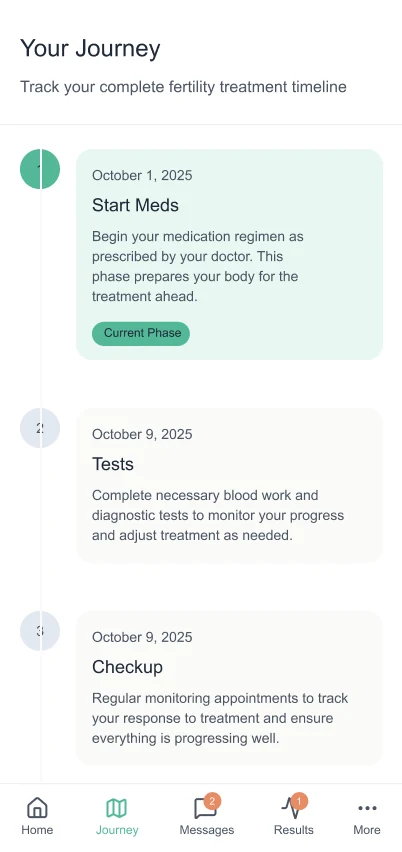
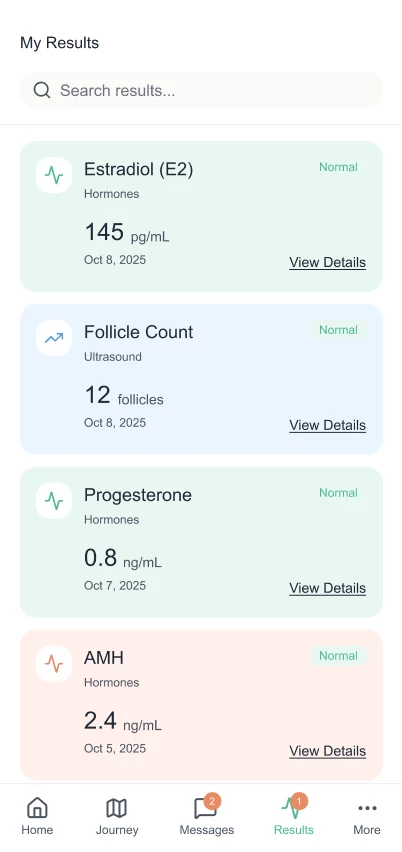
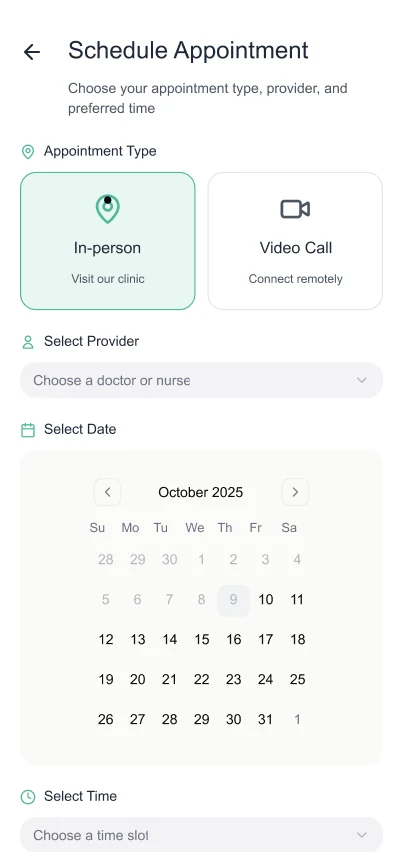
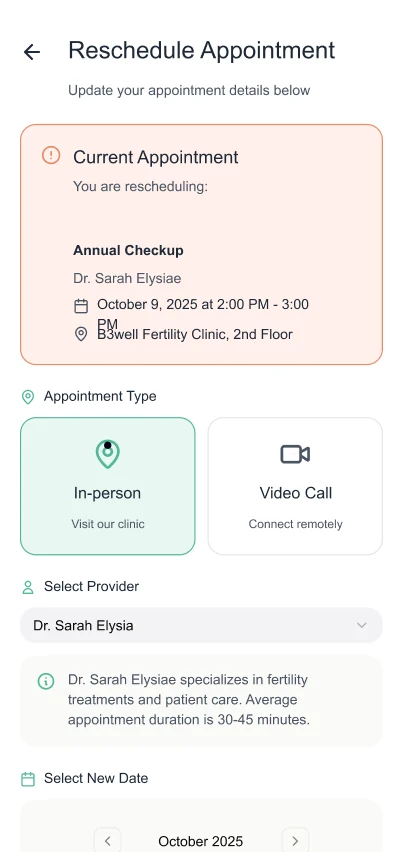
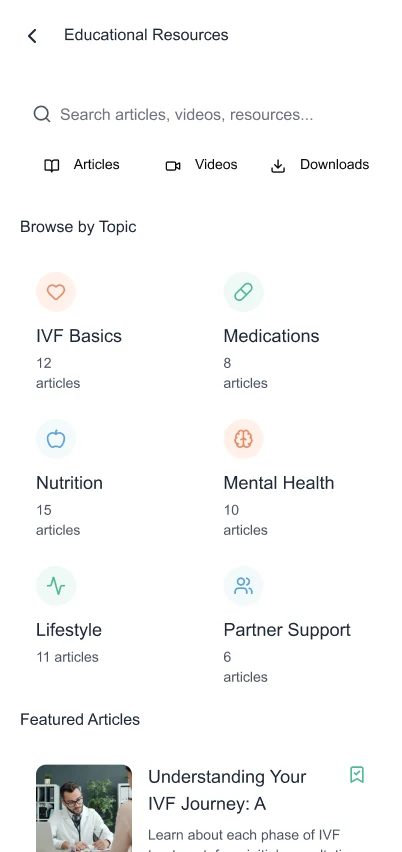
Making Sensitive Healthcare Information Accessible
Accessibility, privacy, and emotional sensitivity were treated as product requirements from the start rather than additions made after the interface was complete.
WCAG 2.2 AA
Inclusive structure, interaction and content presentation.
Accessible Colour
High-contrast tokens and scalable typography support readability.
Assistive Technology
Semantic HTML, clear labels and screen-reader support.
Reduced Motion
Transitions respect the user’s motion preferences.
Security & Compliance
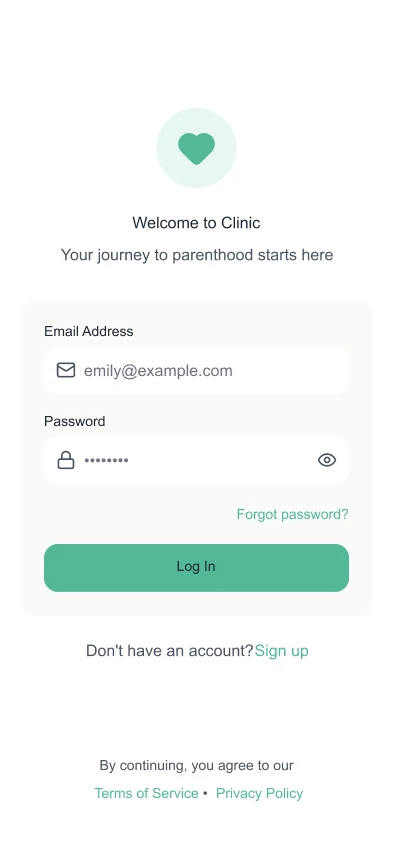
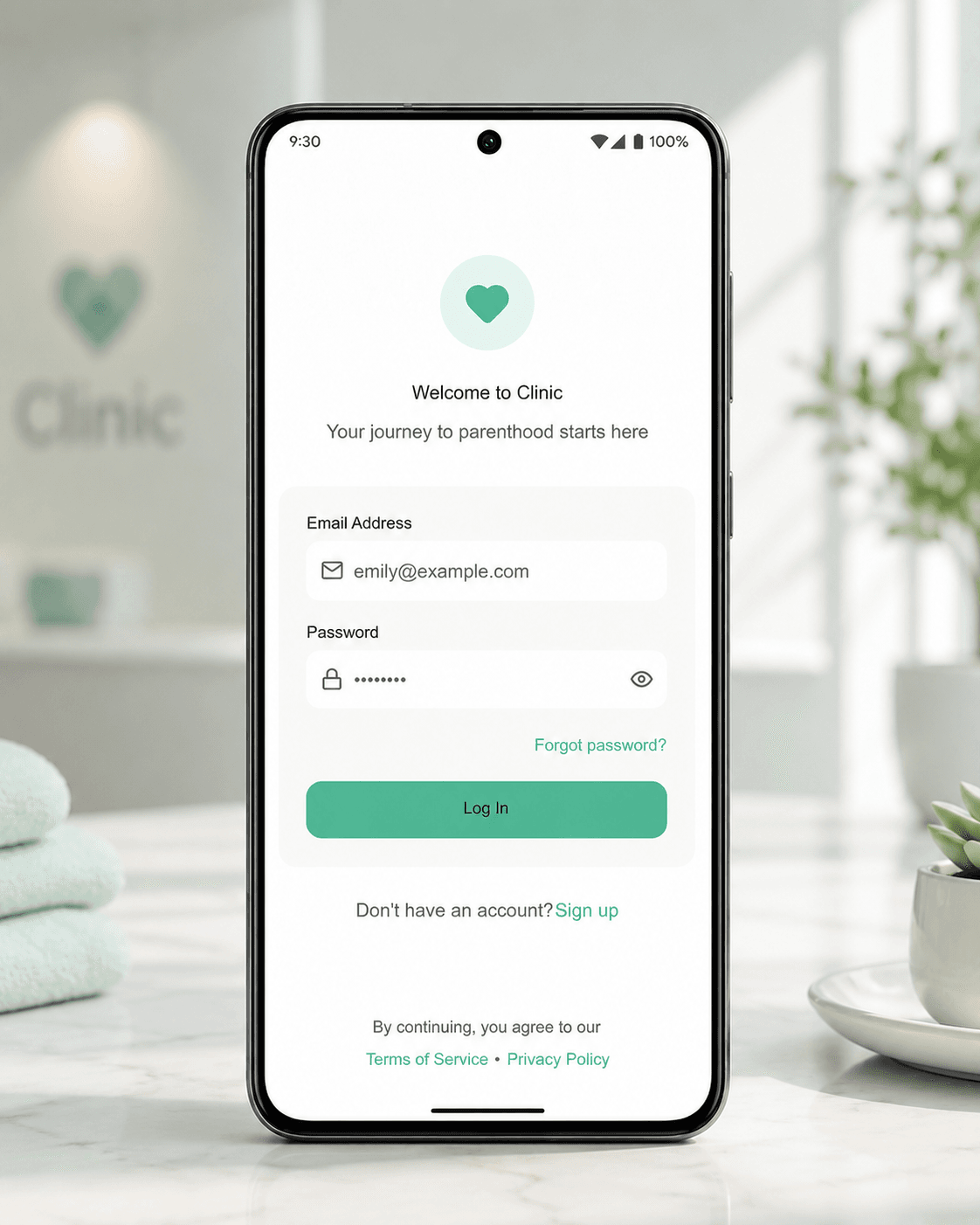
Secure authentication and encrypted storage designed around HIPAA and GDPR requirements.
Operational and Patient-Facing Improvements
The project documented improvements across patient engagement, support demand, and appointment adherence.
- Reduced missed appointments and fewer support calls for basic status enquiries.
- Improved patient satisfaction, particularly around ease of use and trust in digital communication.
- A unified design system aligned patient-facing and clinic-facing platforms.
A More Connected Experience for Patients and Clinics
The patient app extended the clinic platform into a coherent patient-facing experience. Patients received a clearer view of appointments, progress, results, and communication, while clinics maintained continuity with the operational workflow already used by their teams.
Designing a Connected Healthcare Product?
I help product teams connect patient-facing experiences with complex internal workflows, sensitive data, and operational systems.
Discuss a Project